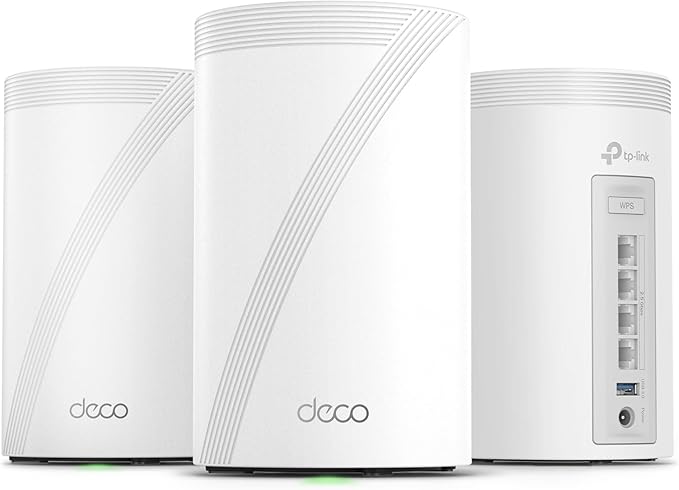
TP-Link Deco 7 Pro BE63 Tri-Band WiFi 7 BE10000 Whole Home...
Good for: Buyers willing to read the details before deciding
Watch out for: No major red flags detected
Last analyzed: March 2026
Total Reviews
8,575
On Amazon
Verified
92%
Good
Amazon Rating
4.3
Original rating
Savinoo Rating
3.7
Adjusted rating
Our Recommendation
BE CAUTIOUS - Read individual reviews carefully, especially 1-star and 3-star reviews, before purchasing.
Analysis Summary
- MEDIUM RISK (Score: 75/100) TP-Link Deco 7 Pro BE63 Tri-Band WiFi 7 BE10000 Whole Home... has some concerning review patterns. Major Issues Found: 81% of reviews are either 5-star or 1-star, with only 19% in between.
- Real products usually have more balanced ratings. Positive Indicators: 92% of reviews are from verified purchases, which is good. 34% of reviews are detailed (over 100 words), which suggests genuine feedback..
Customer Reviews from Amazon
Most Helpful Review
"Enshitification. I bought the Deco BE63 expecting a premium, stable Wi-Fi 7 mesh system. For months, it worked perfectly. Rock solid connection, low latency, no drops. Then TP-Link pushed a firmware update in February 2026 that completely ruined everything.This update removed user control, changed core mesh behavior, and made the system aggressively force band switching and backhaul decisions that users can no longer properly control. Ever since this update, my previously stable connection has become unstable, inconsistent, and completely unreliable for work, gaming and other real-time applications.Latency now spikes randomly. Devices get moved between bands and nodes without warning. Mesh stability is worse than it was before the update. Gaming is borderline impossible… constant drag, delayed inputs, and unpredictable lag spikes. This was never an issue before the firmware update.What’s most frustrating is that TP-Link removed settings and functionality that allowed users to maintain stable configurations. This is not a hardware problem. This is a firmware problem created ENTIRELY by TP-Link.You do not remove user control and force behavior changes on a premium router people paid $400+ for. Stability should never get worse after a firmware update.This router went from good to unreliable overnight because of TP-Link’s firmware decisions.Until TP-Link restores proper control over mesh behavior and band management, I cannot recommend this product. I wish I could return it. Garbage brand.Extremely disappointed."
immy
I purchased this product from my current aging Wi-Fi extenders and this TP link deco…
I purchased this product from my current aging Wi-Fi extenders and this TP link deco is top rated also made for Wi-Fi six works great on my one gigabyte service with three of them in my 2600 foot home. The range works great.daltonknox
A good compromise between cost and speed.
tabor031
Love it! Upgraded from Google nest wifi. No idea how much it was holding me…
Love it! Upgraded from Google nest wifi. No idea how much it was holding me back!esteban cuartas
Que cosa mas rapida. Mejore mi internet, tenia una malla de 3 google y este…
Que cosa mas rapida. Mejore mi internet, tenia una malla de 3 google y este es una cosa aparte. Hice la inversion y me los compre para Mi casa de 3 pisos de 250 metros. Uno en cada piso y me funciona perfecto.mojoe
Very impressive speeds, If you have any devices running on wi fi 6 or 6E…
Very impressive speeds, If you have any devices running on wi fi 6 or 6E this is the real deal to make your system complete and FAST. It will also wake up your 5gig/2.4gig but don't expect 6gig speeds with older setups. The system really was fairly easy to setup . I recently signed up for 1gig internet and my old router just wouldn't cut it, plus I have a shop located approximately 60ft away from my house. I was getting a wireless signal but speeds were usually 80-120 MBS speeds. I now get my gig or a bit better with this wireless mesh system at over 60ft from the main mesh unit. Its been working fine for a few weeks now. In addition the system is very adjustable to your specific needs. I have to say most things purchased these days don't impress me, but this TP mesh system with 3 mesh units is by far the most impressive item I have purchased in quite a while. Forget the signal boosters & extenders this system is the answer . Fast , strong , extended range its all good.vitali two
I bought TP-Link Deco 7 Pro BE63 3-Pack to replace TP-Link Deco XE75 6E setup.…
I bought TP-Link Deco 7 Pro BE63 3-Pack to replace TP-Link Deco XE75 6E setup. I feel this was a good upgrade, despite of the fact that I currently only have one WIFI 7 device - Iphone 17 Pro Max. WIFI speed with XE75 was in a range of 200 to 400 Mbit. WIth BE63 I'm getting about 1.5 Gbit on my Iphone. I actually think that it may be a limit of the Iphone itself. I use wireless backhaul and it performs quite well in my house, it probably not far off of the Ethernet backhaul.One thing to note is that by default the Deco App does not enable Multi Link Operation of WIFI 7, you have to manually enable it after initial setup. I setup two WIFI networks, one for combined 2.4/5Ghz bands for older devices. The other is Multi Link Operation on all bands (2.4/5/6Ghz). The MLO network is actually can be used by WIFI 6E devices as well, but they will only operate on 6Ghz band. My two Mac computers use the MLO network that way and they are WIFI 6E devices. I highly recommend two networks setup as it separates your newer WIFI 6E and 7 devices from older devices and there is less interference. Also you should run WIFI optimization in the App, it will move your networks as far as possible from your neighbours WIFI channels.What Customers Talk About
Commonly Praised
Commonly Complained
Review Quality Analysis
Review quality helps identify authentic customer feedback. Longer, detailed reviews (50+ words) typically indicate genuine experiences, while high percentages of short reviews (under 20 words) may suggest incentivized or fake feedback.
Average Words
87
✓ Detailed reviews
Long Reviews
34%
✓ Good engagement
Short Reviews
4%
✓ Low brief reviews
Interpretation: Strong indicators of authentic, detailed customer feedback.
Review Velocity
Review velocity tracks how quickly reviews are posted. Steady, gradual accumulation is natural, while sudden spikes or bursts (20+ reviews in a single day) may indicate incentivized campaigns or coordinated activity.
Average Per Day
0.96
Natural pace
Max in One Day
4
Normal range
Variable Velocity Pattern
Review posting rate varies over time. This may be linked to promotions, product launches, or seasonal events.
Rating Breakdown
This chart shows how customers rated TP-Link Deco 7 Pro BE63 Tri-Band WiFi 7 BE10000 Whole Home.... Products with authentic reviews typically show a bell curve with most ratings in the 3–4 star range. A heavily polarized distribution — many 5★ and 1★ with few middle ratings — can be worth investigating further.
Key Findings
81% of reviews are either 5-star or 1-star, with only 19% in between. Real products usually have more balanced ratings.
These findings suggest this is a trustworthy product.
Looks legit — check on AmazonReady to buy TP-Link Deco 7 Pro BE63 Tri-Band WiFi 7 BE10000 Whole Home...?
Our analysis is based on 8,575 reviews.
You May Also Want to Check
How does this compare?
This product scores 75/100 — above average among analyzed products.
Check on Amazon