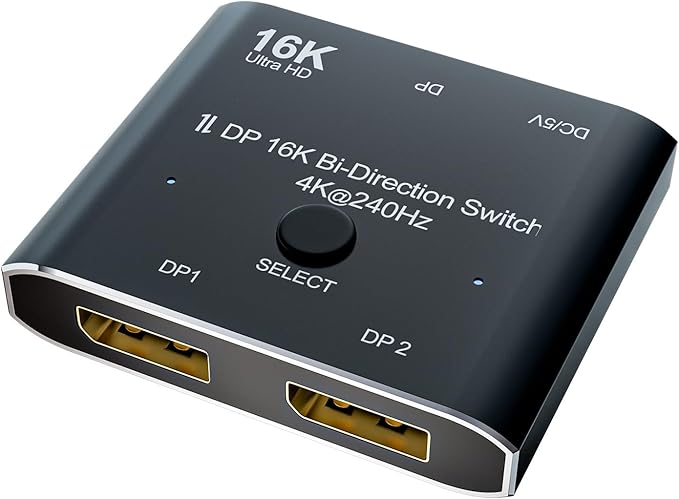
CABLEDECONN DisplayPort 2.1 8K 10K 16K DP Video Switch...
Good for: Shoppers who want a reliable, well-reviewed product
Watch out for: No major red flags detected
Last analyzed: February 2026
Total Reviews
1,651
On Amazon
Verified
98%
Good
Amazon Rating
3.9
Original rating
Savinoo Rating
3.7
Adjusted rating
Our Recommendation
BE CAUTIOUS - Read individual reviews carefully, especially 1-star and 3-star reviews, before purchasing.
Analysis Summary
- MEDIUM RISK (Score: 85/100) CABLEDECONN DisplayPort 2.1 8K 10K 16K DP Video Switch... has some concerning review patterns. Major Issues Found: CABLEDECONN DisplayPort 2.1 8K 10K 16K DP Video Switch... has an unusual pattern: many 5-star reviews but also many low ratings (1-3 stars).
- This could indicate fake reviews or serious quality problems. Positive Indicators: 98% of reviews are from verified purchases, which is good..
Customer Reviews from Amazon
Most Helpful Review
"I'm using a 6 foot cable going from my GPU to the switch and 3 foot cables to each monitor, switching between 3440x1440 180Hz and 2560x1440 165Hz without issue."
roger jennings
Have this running in conjunction with a active 10m (33') display port cable, a Cablematters…
Have this running in conjunction with a active 10m (33') display port cable, a Cablematters Display port repeater, switches perfectly and runs at native refresh rates (120hz VR/144hz 3440x1440 LG monitor).Anonymous
Absolutely worth the price. It works great. Make sure you have a place ot plug…
Absolutely worth the price. It works great. Make sure you have a place ot plug it in, I powered mine with a USB port on my desk. It is very Durable and is super simple to set up. The Vidio single is great and clear.anon
I'm using a 6 foot cable going from my GPU to the switch and 3…
I'm using a 6 foot cable going from my GPU to the switch and 3 foot cables to each monitor, switching between 3440x1440 180Hz and 2560x1440 165Hz without issue.william
You need 3 hdmi cables. 1 hdmi cable plugs into the device OUT and plugs…
You need 3 hdmi cables. 1 hdmi cable plugs into the device OUT and plugs into the one monitor you choose to share. Two hdmi cables plug in to the device IN, 1 from each pc. THEN you press the button on the device and it toggles the display from pc1 to pc2. Press device button again and it toggles the display from pc2 to pc1, and so on. Works perfectly. Note: the device needs power so the device comes with a usb cable that you plug in to an open usb port on your pc to power the device. Works great. I recommend.joshua bowen
I have it mounted to the back of my monitor as 1 button is better…
I have it mounted to the back of my monitor as 1 button is better than the 7 inputs my monitors need. It works as intended, has a solid click to let you know its pressed, and is nice and compact.ef
There's been a lot of confusion in the review whether it supports gsync and for…
There's been a lot of confusion in the review whether it supports gsync and for my monitor (AW3821DW) it does. I connected it to my monitor and one to a D6000 dell dock for my thunderbolt devices Macbook/Laptop/Ipad etc. Running without issue now for a month. Switching is quick, make sure that you are powering the switch with a proper 5V that could be why some people are having issues.What Customers Talk About
Commonly Praised
Commonly Complained
Review Quality Analysis
Review quality helps identify authentic customer feedback. Longer, detailed reviews (50+ words) typically indicate genuine experiences, while high percentages of short reviews (under 20 words) may suggest incentivized or fake feedback.
Average Words
64
✓ Detailed reviews
Long Reviews
22%
Average detail
Short Reviews
8%
✓ Low brief reviews
Review Length Distribution
Authentic vs Brief Reviews
Average Word Count Gauge
Benchmark: 30 words = moderate, 50+ words = detailed & authentic
64
avg. words per review
Interpretation: Review quality appears within normal range for this product category.
Review Velocity
Review velocity tracks how quickly reviews are posted. Steady, gradual accumulation is natural, while sudden spikes or bursts (20+ reviews in a single day) may indicate incentivized campaigns or coordinated activity.
Average Per Day
0.03
Natural pace
Max in One Day
2
Normal range
Steady Velocity Detected
Reviews posted at a consistent, natural pace over time — typical of organic customer feedback.
Rating Breakdown
This chart shows how customers rated CABLEDECONN DisplayPort 2.1 8K 10K 16K DP Video Switch.... Products with authentic reviews typically show a bell curve with most ratings in the 3–4 star range. A heavily polarized distribution — many 5★ and 1★ with few middle ratings — can be worth investigating further.
Key Findings
This product has an unusual pattern: many 5-star reviews but also many low ratings (1-3 stars). This could indicate fake reviews or serious quality problems.
These findings suggest this is a trustworthy product.
Looks legit — check on AmazonReady to buy CABLEDECONN DisplayPort 2.1 8K 10K 16K DP Video Switch...?
Our analysis is based on 1,651 reviews.
You May Also Want to Check
How does this compare?
This product scores 85/100 — better than most products we've analyzed. A strong trust signal.
Check on Amazon